

Data Security & API Controls
CargoGuard workflows can involve shipment details, driver information, location updates, photos, documents, and API events. Review what data your operation needs, who should access it, how integrations exchange it, and which current technical controls must be confirmed before deployment.
Protect the Data Behind the Shipment
Freight visibility is not only about showing a map. A shipment workflow can connect commercial load details, carrier and driver information, tracking history, pickup evidence, and delivery records. Security review should follow that full data path.
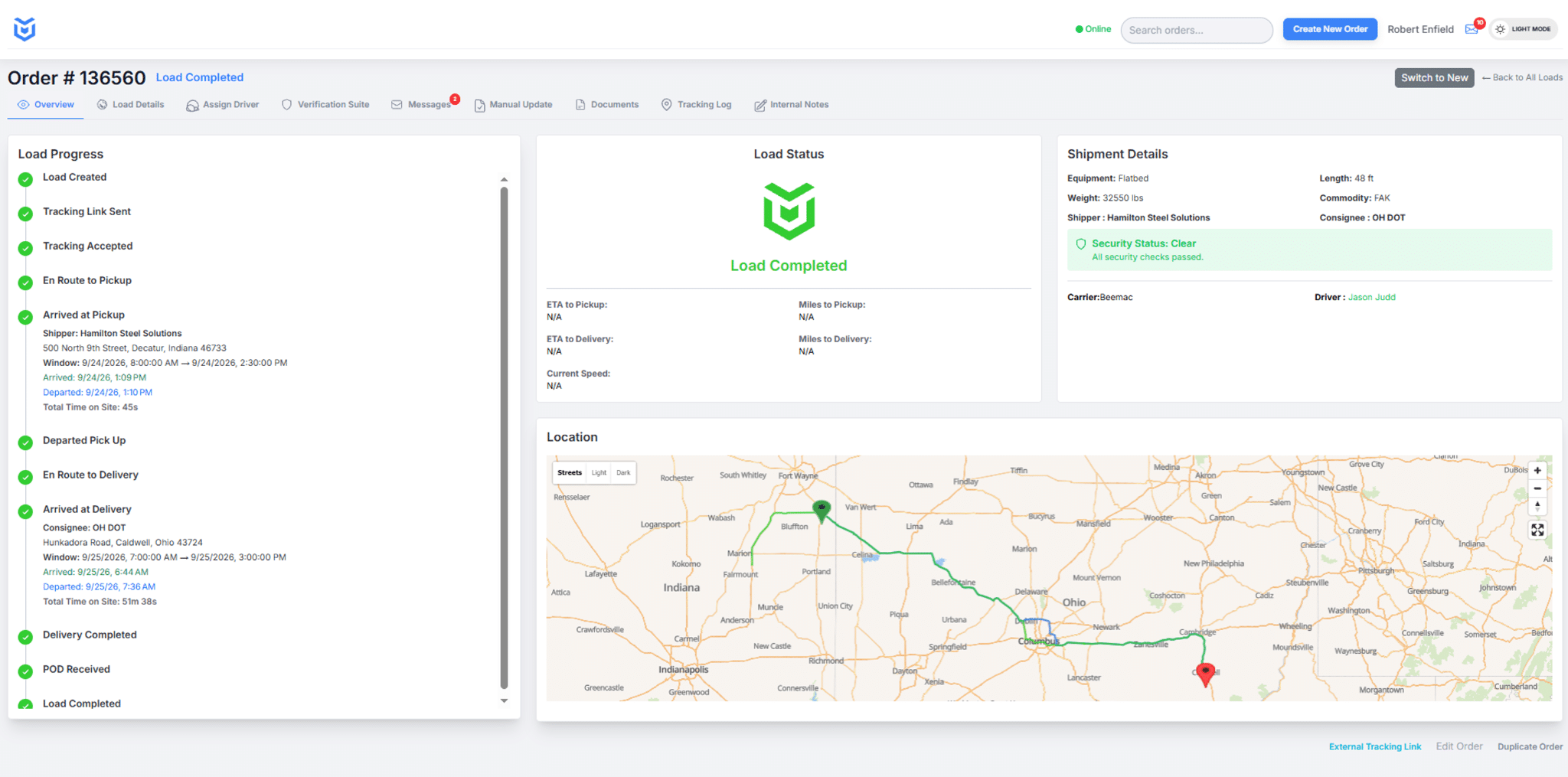
What Data Can a Freight-Security Workflow Include?
Shipment data: load identifiers, pickup and delivery details, appointments, status events, route or location history, and customer-facing shipment information.
Driver and vehicle data: driver identity information, license or selfie verification results, vehicle registration details, and truck photos requested as part of the pickup workflow.
Evidence and documents: pickup photos, bills of lading, proof-of-delivery records, and other shipment documents associated with the load.
Integration data: API requests, event webhooks, credentials, identifiers used to match records, and logs generated by connected systems.
Use a Shared-Responsibility Security Model
CargoGuard can describe the current controls and requirements for its platform and API. Your organization is still responsible for the systems, accounts, middleware, credentials, workflows, and downstream applications it controls. A secure CargoGuard connection can still be weakened if credentials are stored poorly, users receive more access than they need, or shipment data is copied into an insecure downstream system.
Before launch, map where the data begins, which systems receive it, who can access it, how long each system retains it, and who owns incident response when something goes wrong.
API Authentication and Connection Security
Before connecting to the CargoGuard freight tracking API, request the current technical documentation. Confirm the authentication method, transport-security requirements, credential issuance and rotation process, request limits, webhook authentication, error handling, and the data available to the integration. Do not build against assumptions copied from an old example or marketing page.
OWASP’s API Security Project identifies authorization, authentication, security configuration, and unsafe consumption of third-party APIs among the common areas teams should evaluate during an API security review.
Limit Access to What Each User or System Needs
Start with the minimum shipment and driver information required for the workflow. Confirm which CargoGuard account permissions and API restrictions are available for your deployment, then decide who should see identity information, location history, photos, and documents. Avoid sending sensitive fields to a downstream system merely because the API can expose them.
For integrations, separate human-user access from service credentials where your architecture allows it. Document who owns each credential, where it is stored, how it is replaced, and what happens when an employee, vendor, or integration no longer needs access.
Protect Driver Identity and Shipment Evidence
Driver verification may involve identity documents, selfies, registration information, and other data that should receive more careful handling than a routine shipment status. Review who is authorized to see that information, whether it needs to be copied into another system, and how long each party needs it for the operational purpose.
The same principle applies to shipment photos and documents. Pickup photos, bills of lading, and proof of delivery can contain commercially sensitive details. See driver verification, geofenced photo verification, and secure document capture for the workflows that generate these records.
How Should Supplier and Parts Tracking Data Be Protected?
For a manufacturer or supplier operation, protect tracking data by limiting access to the users and systems that need it, minimizing the fields exchanged, using authenticated integrations, reviewing credential storage, and controlling where downstream systems copy the information. Supplier names, shipment identifiers, routes, appointments, part descriptions, and high-value shipment details can become sensitive when combined, even if no single field appears confidential on its own.
A mid-sized operation should also define retention and logging expectations, identify who can export or download shipment records, and include its TMS, middleware, cloud services, and internal applications in the same security review. CargoGuard can provide current information about its side of the connection; the customer should validate the complete end-to-end data path.
Security Review Checklist Before Integration
- List the shipment, driver, photo, document, and event data the integration actually needs.
- Confirm the current CargoGuard authentication and transport-security requirements.
- Review account roles, API access, webhook validation, logging, and request limits that apply to your project.
- Decide where credentials are stored and who is responsible for rotating or revoking them.
- Map every downstream system that receives CargoGuard data.
- Define retention, deletion, export, and incident-response responsibilities.
- Test failed authentication, expired credentials, duplicate events, unexpected payloads, and access removal before production.
- Request evidence for any certification, regulatory, or contractual requirement rather than inferring compliance from a feature description.
The NIST Cybersecurity Framework 2.0 is a useful general reference for organizing cybersecurity-risk discussions. It is a framework for managing risk; linking to it here does not mean CargoGuard claims a particular NIST certification or assessment result.
Privacy, Retention, and Compliance Questions
Review CargoGuard’s privacy policy for published information about data handling. For a deployment-specific review, send CargoGuard your security questionnaire and describe the users, systems, geography, data types, retention needs, and contractual requirements involved. See the compliance and infrastructure page for related implementation questions.
Data Security Questions, Answered
How can we verify CargoGuard API authentication and encryption requirements?
Request the current API security documentation from CargoGuard’s technical team. Confirm the supported authentication method, connection requirements, credential-management process, and any transport-security details required for your integration before development begins.
Does CargoGuard publish every security control on this page?
No. This page is an evaluation guide, not a technical security specification. Ask for the current documentation and supporting evidence required by your organization rather than assuming a control exists because it is common in SaaS products.
What access controls and logs should we review?
Review who can access each type of information, which account and integration restrictions are available, what activity is logged, how long logs are retained, and how access is removed. Confirm any IP allowlisting, rate-limit, audit-log, or export-control requirement before making it part of your deployment plan.
How is shipment tracking data protected for supplier and parts data?
Use least-necessary access, limit the data fields exchanged, protect integration credentials, and review every connected system that stores or forwards the shipment information. Ask CargoGuard for the current controls on its side of the integration and evaluate your TMS, middleware, user accounts, logs, and retention rules as part of the same data path.
Can we send CargoGuard our security questionnaire?
Yes. Describe the data, users, systems, and requirements involved so the review can focus on your actual implementation. Request supporting evidence for any certification, regulatory, or contractual requirement that matters to your organization.
Who is responsible for securing data after it reaches our TMS?
Your organization is responsible for the systems and access it controls. Once CargoGuard data is copied into a TMS, middleware platform, data warehouse, email, spreadsheet, or another application, that downstream environment becomes part of the security and retention review.
Review Your Security Requirements
Bring your security questionnaire, TMS details, and required data flows. We’ll review the current CargoGuard information relevant to your integration.