

CargoGuard Workflows
See how CargoGuard can fit into a truckload workflow before pickup, at pickup, in transit, and after delivery.
These are illustrative workflows based on CargoGuard product features. They are not customer case studies, testimonials, or measured performance results.
Follow One Load Through the Security Workflow
A freight-security process is easier to evaluate when you look at the whole shipment instead of one feature at a time. The examples below show where identity checks, truck evidence, tracking, alerts, and delivery records can fit into the same operating process.
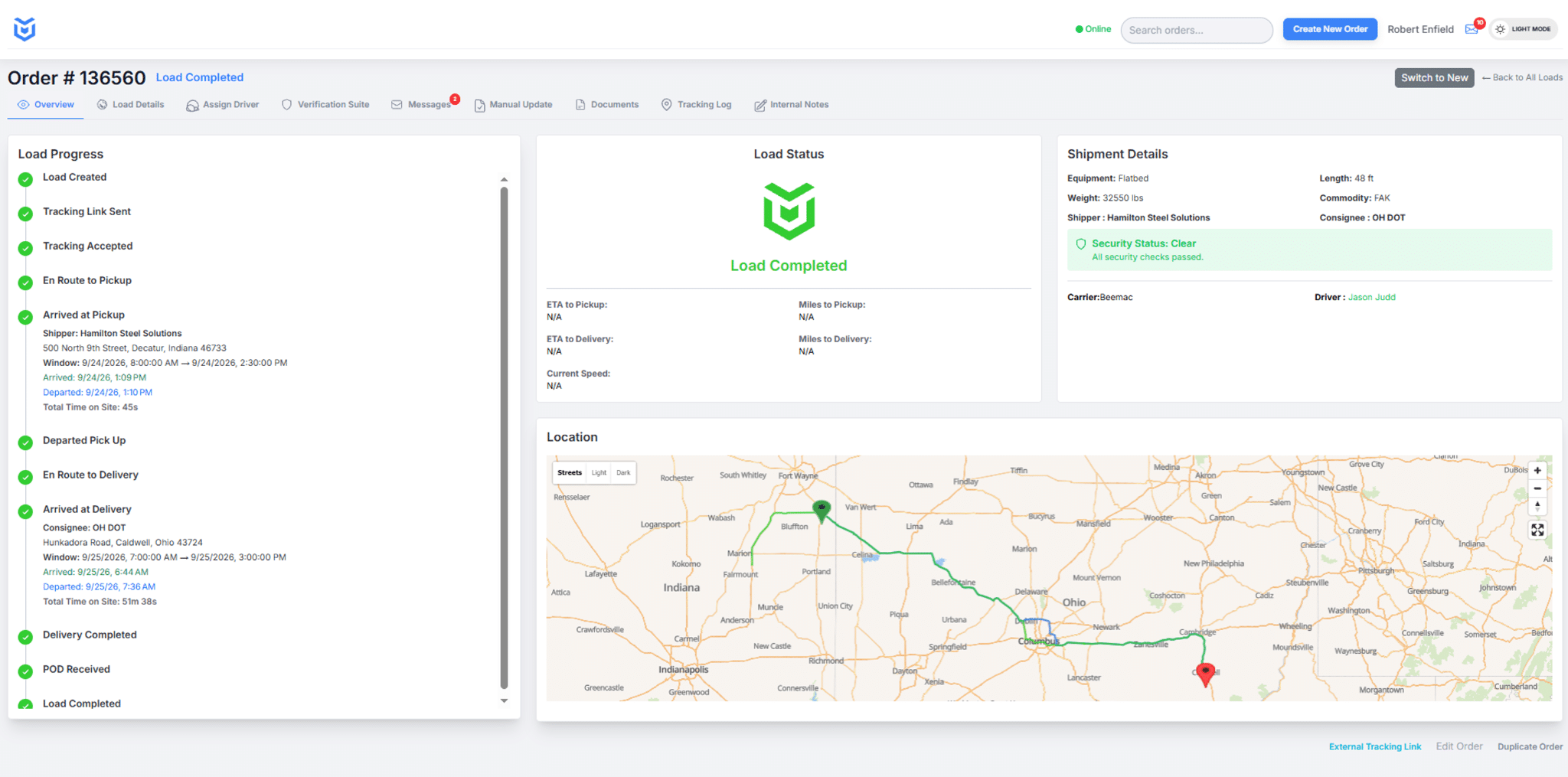
Workflow 1: Before Pickup — Review the Driver
Illustrative example: A broker awards the load and wants to compare the person who will pick it up with the shipment assignment before the freight is released.
The driver completes the CargoGuard mobile verification steps, including license capture and a selfie check. The broker reviews the available driver verification information with the load assignment. If identity, phone, or registration information does not fit what was expected, the next step is not to label the load fraudulent—it is to investigate the discrepancy through an established carrier contact.
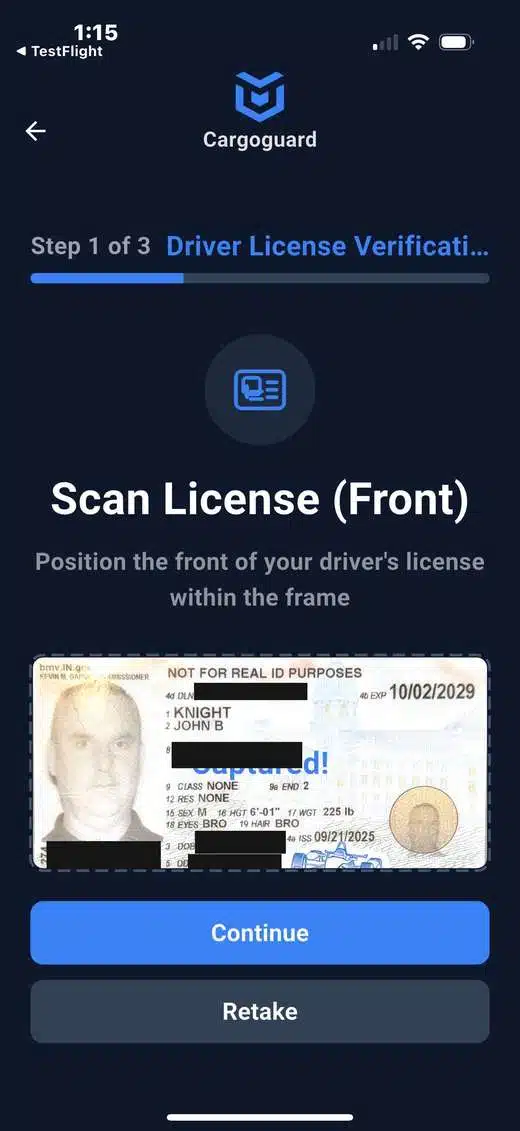

Workflow 2: At Pickup — Compare the Truck and Handoff
Illustrative example: The shipper sees a truck at the dock that does not look like the equipment described in the load notes.
The team reviews registration information and requested truck or pickup photos. Visible carrier markings, USDOT or MC information, plate details, and equipment type can be compared with the approved shipment assignment. An unexplained mismatch should be resolved before the normal release process continues.
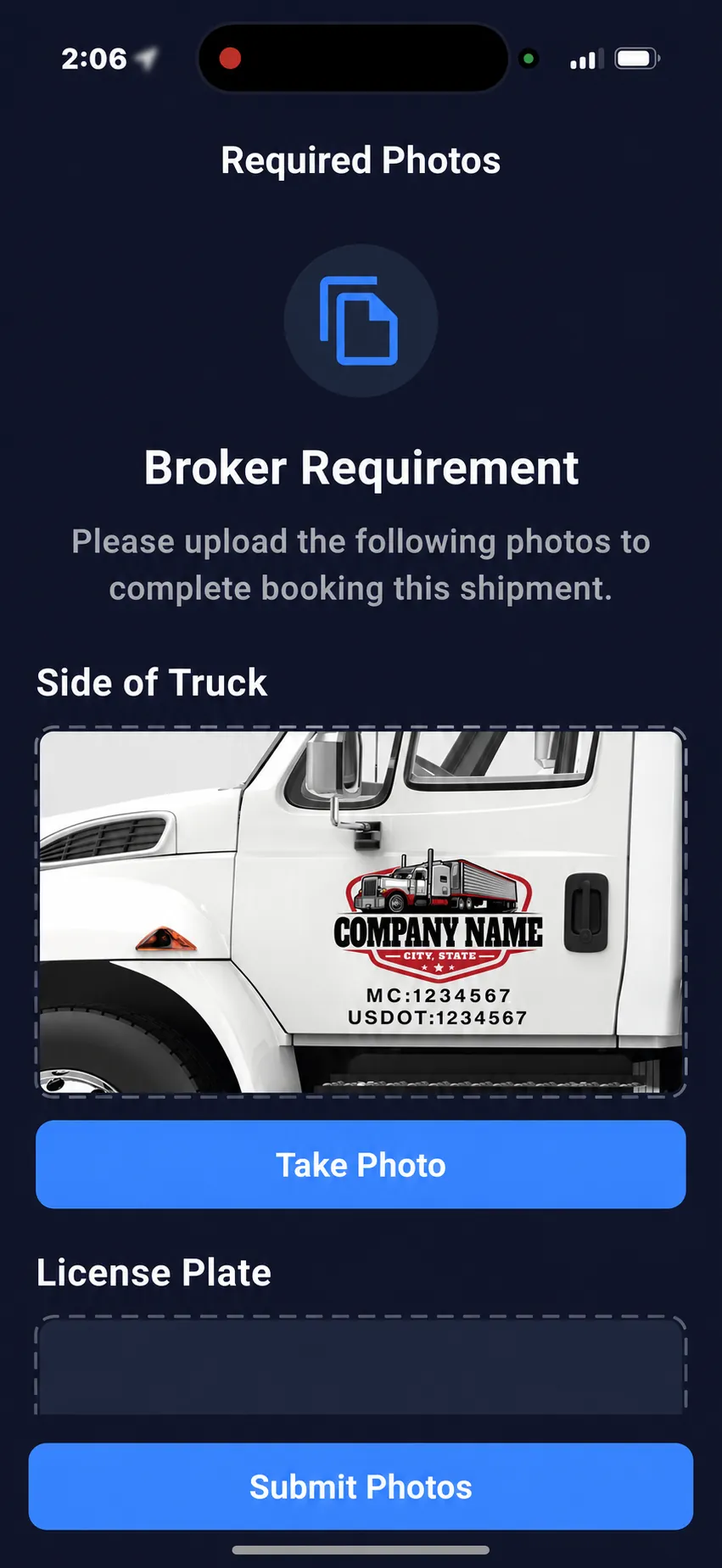
FMCSA recommends independently confirming contact information and checking the truck and driver arriving for a load when fraud or identity theft is suspected. See FMCSA fraud and identity-theft guidance.
Workflow 3: In Transit — Follow Progress and Exceptions
Illustrative example: A customer asks for an ETA while the operations team also notices an unexpected tracking gap or route concern.
The broker reviews real-time freight tracking, visibility, and the load status timeline. If an alert or anti-spoofing GPS concern appears, the team compares it with the rest of the shipment history before deciding what follow-up is needed.
A missing location update can have several causes, including connectivity, permissions, device behavior, or driver participation. Tracking helps focus the investigation; it does not explain the cause by itself.
Workflow 4: Delivery — Keep the Supporting Record
Illustrative example: After delivery, the customer questions the delivery time or asks for the signed proof of delivery and pickup evidence.
The team reviews the shipment timeline, truck or pickup photos, and delivery documents together. Keeping those records associated with the load can reduce the time spent searching separate email threads, text messages, photo folders, and TMS notes.
The record supports operational review, customer service, or claims follow-up. It does not guarantee a particular legal, insurance, or claim outcome.
Workflow 5: When Something Does Not Match
Illustrative example: The assigned driver is different, the truck markings do not fit the carrier, and the new contact information cannot be confirmed through the normal source.
This is where the separate CargoGuard checks become useful together. Review the driver-verification result, registration details, truck photos, established carrier contacts, shipment activity, and any recent device or location concerns. Use the unauthorized carrier substitution workflow or freight fraud detection workflow to structure the review.
For risk-specific guidance, see double brokering prevention and cargo theft prevention. CargoGuard can help surface inconsistencies and preserve evidence, but the broker, shipper, or 3PL still decides how to investigate and whether to release or escalate the load.
What to Measure During a CargoGuard Evaluation
Create a baseline before changing the workflow. Useful measures can include:
- Time spent reviewing driver and truck details before pickup.
- Percentage of loads with all required pickup photos.
- Percentage of delivered loads with the required proof-of-delivery record.
- Average time spent locating shipment records when a customer asks a question.
- Number and type of identity, vehicle, tracking, or documentation discrepancies reviewed.
- How often an alert required manual follow-up and what the final explanation was.
- Time spent on manual check calls for loads using the CargoGuard workflow.
- API or TMS exceptions that required manual correction.
Compare similar periods and note changes in shipment volume, lanes, staffing, commodities, or customer mix. Any savings, ROI, loss reduction, or productivity claim should be based on your own observed results rather than these examples.
Freight Security Workflow Questions, Answered
Are these CargoGuard customer case studies?
No. They are illustrative examples based on current CargoGuard product workflows. They are not customer testimonials, measured performance results, or claims that a specific outcome occurred.
What should happen when a driver or truck does not match the assignment?
Review the available verification and equipment information, then confirm the change through established carrier and pickup contacts before treating it as authorized. A mismatch is a reason to investigate, not automatic proof of fraud.
Does driver verification guarantee a safe shipment?
No. Driver verification is one part of the pickup review. Continue carrier vetting, release controls, physical-security procedures, tracking review, and your normal operating process.
Can a broker use CargoGuard without changing the TMS?
CargoGuard can be reviewed as a separate operating workflow, and it also supports API-based integration. Whether an integration is appropriate depends on the systems, fields, and events your team needs. See the freight tracking API page for planning guidance.
How should we measure whether the workflow is helping?
Choose a small set of operational measures before rollout, record a baseline, and compare equivalent periods after adoption. Measures should reflect your actual goals, such as complete pickup evidence, faster record retrieval, fewer manual status calls, or more consistent discrepancy review.
Can I see the workflow using one of our normal loads?
Yes. Bring your normal pickup, tracking, exception, and delivery process to a CargoGuard demo so the discussion can focus on the steps that would actually apply to your team.
Walk Through Your Freight Workflow
Bring one of your normal truckload processes to a demo. We’ll walk through driver review, pickup evidence, tracking, alerts, and delivery records step by step.