
Freight fraud prevention and shipment tracking
Follow the load from pickup to proof. Driver verification, truck photos, and signed proof of delivery in one workflow for freight brokers, 3PLs, and shippers.
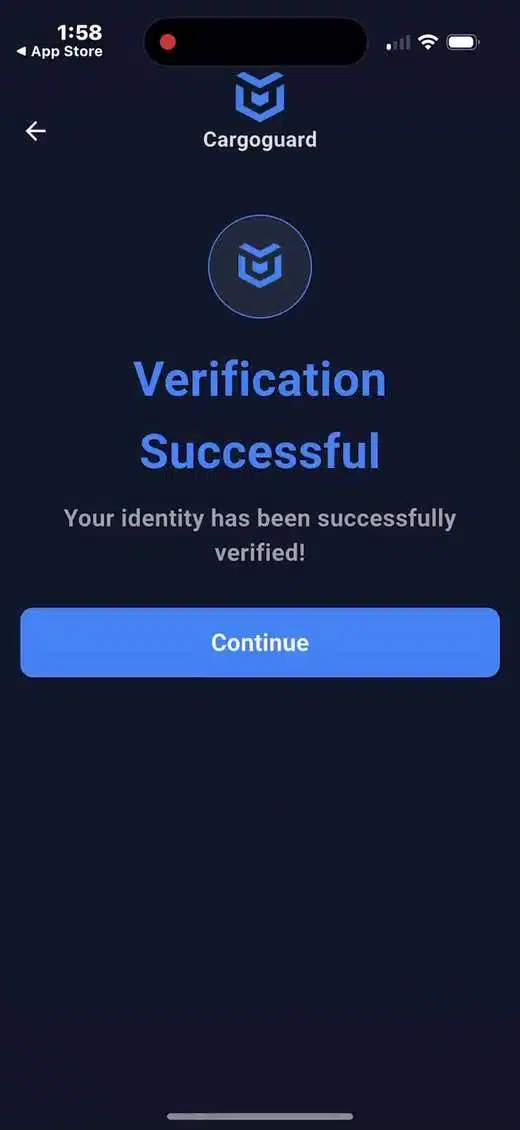
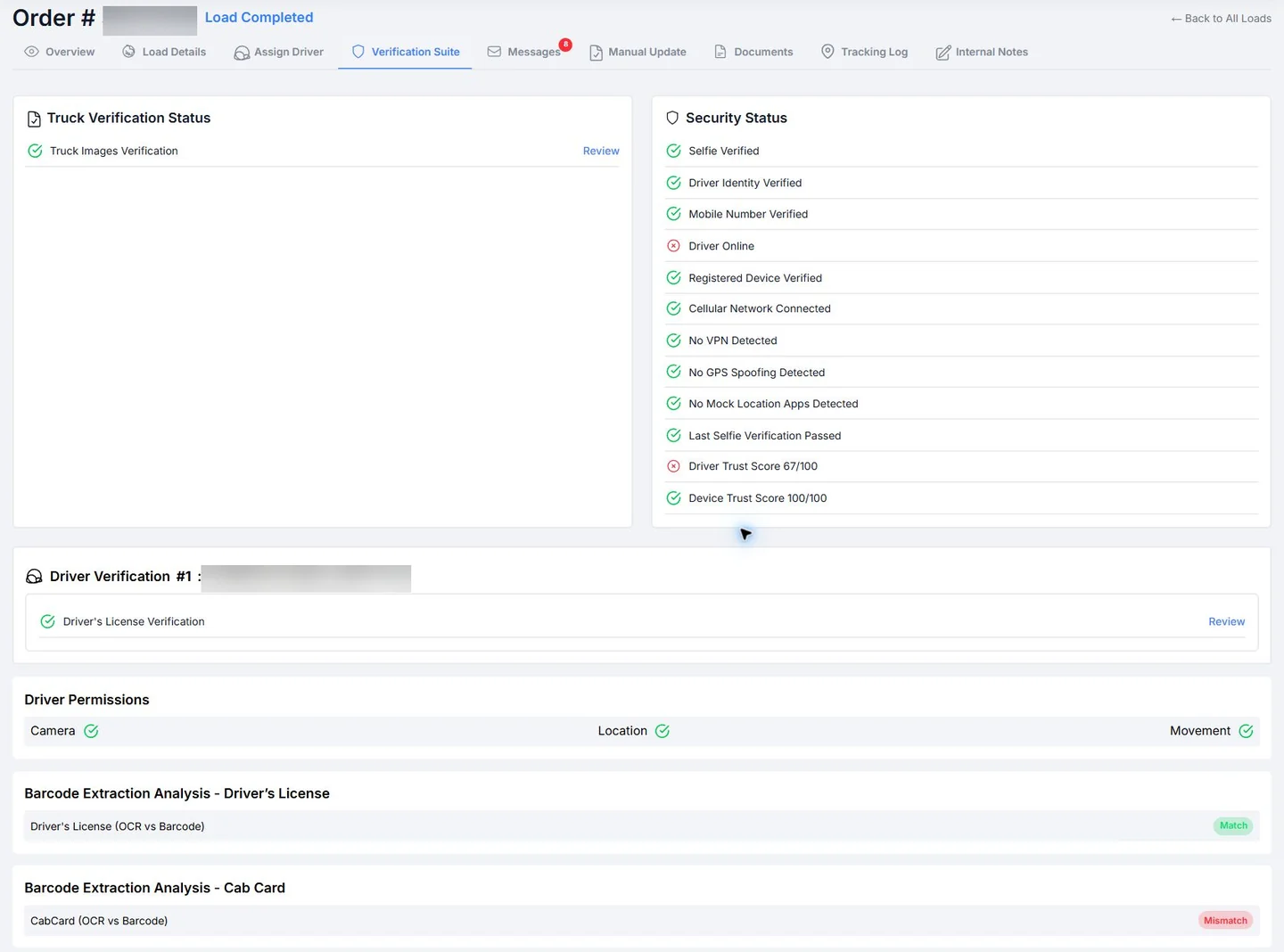
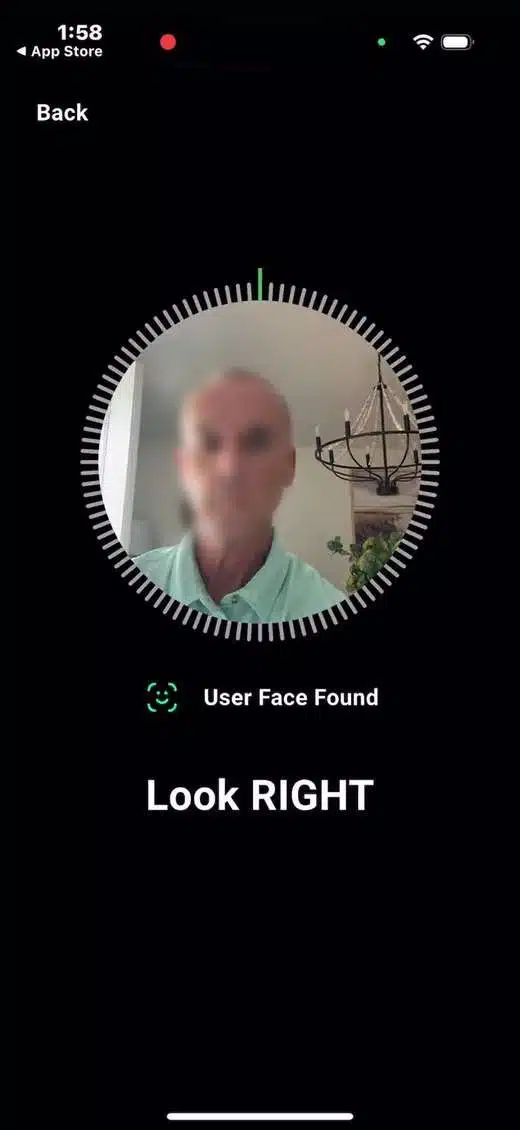
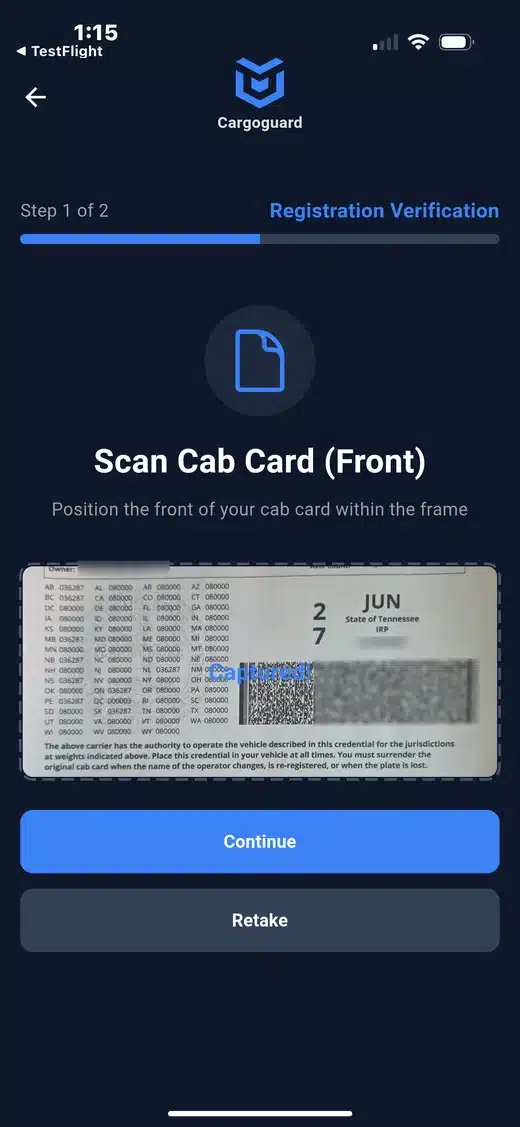
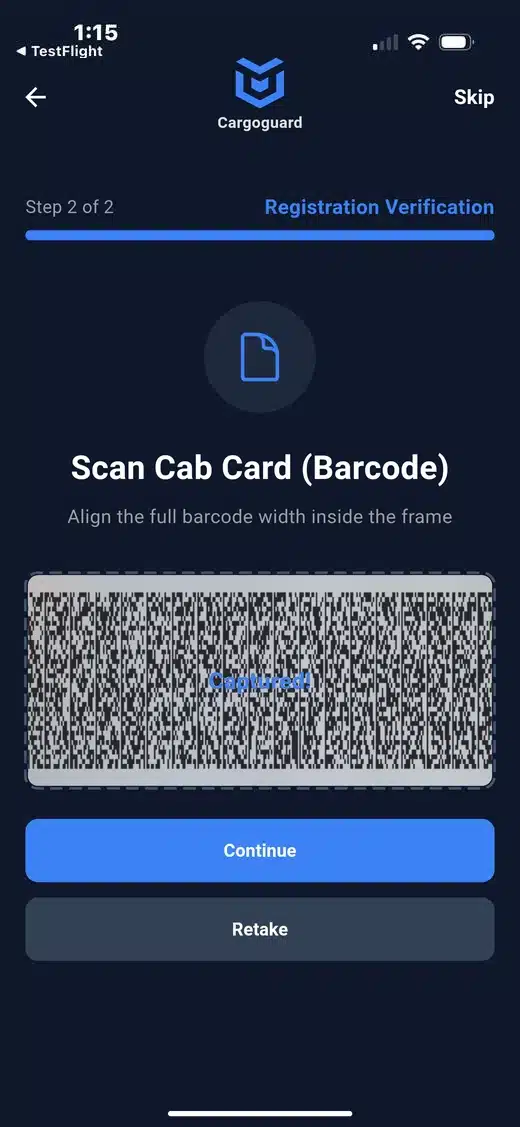
Stop 1: driver verification before pickup
Check who’s arriving.
- 1License scan
- 2Selfie check
- 3Verification result
- 4Cab card scan
- 5Cab card barcode
Your team also sees security status checks such as VPN use and GPS spoofing. See how driver verification works.

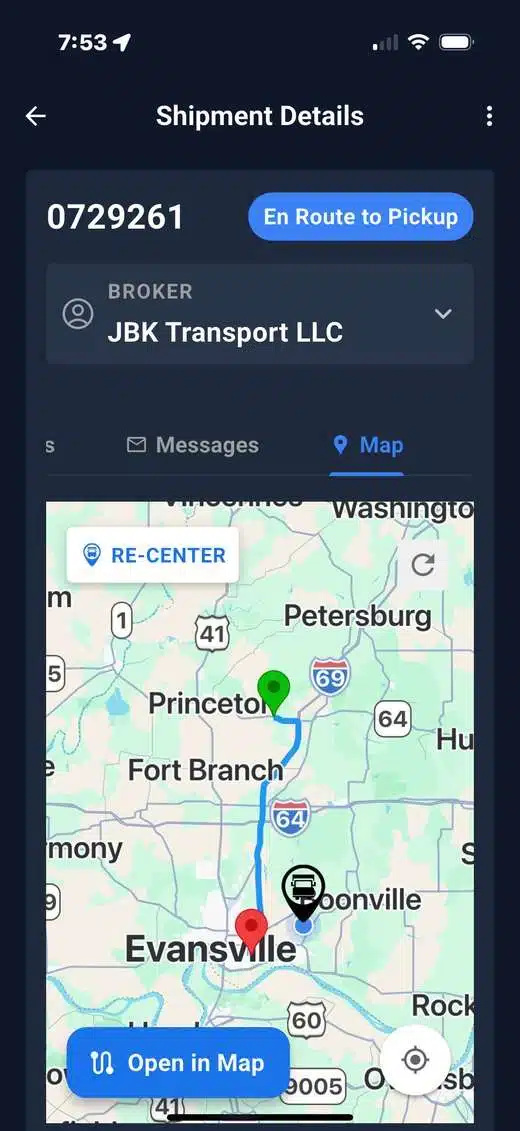
Stop 2: shipment tracking in transit
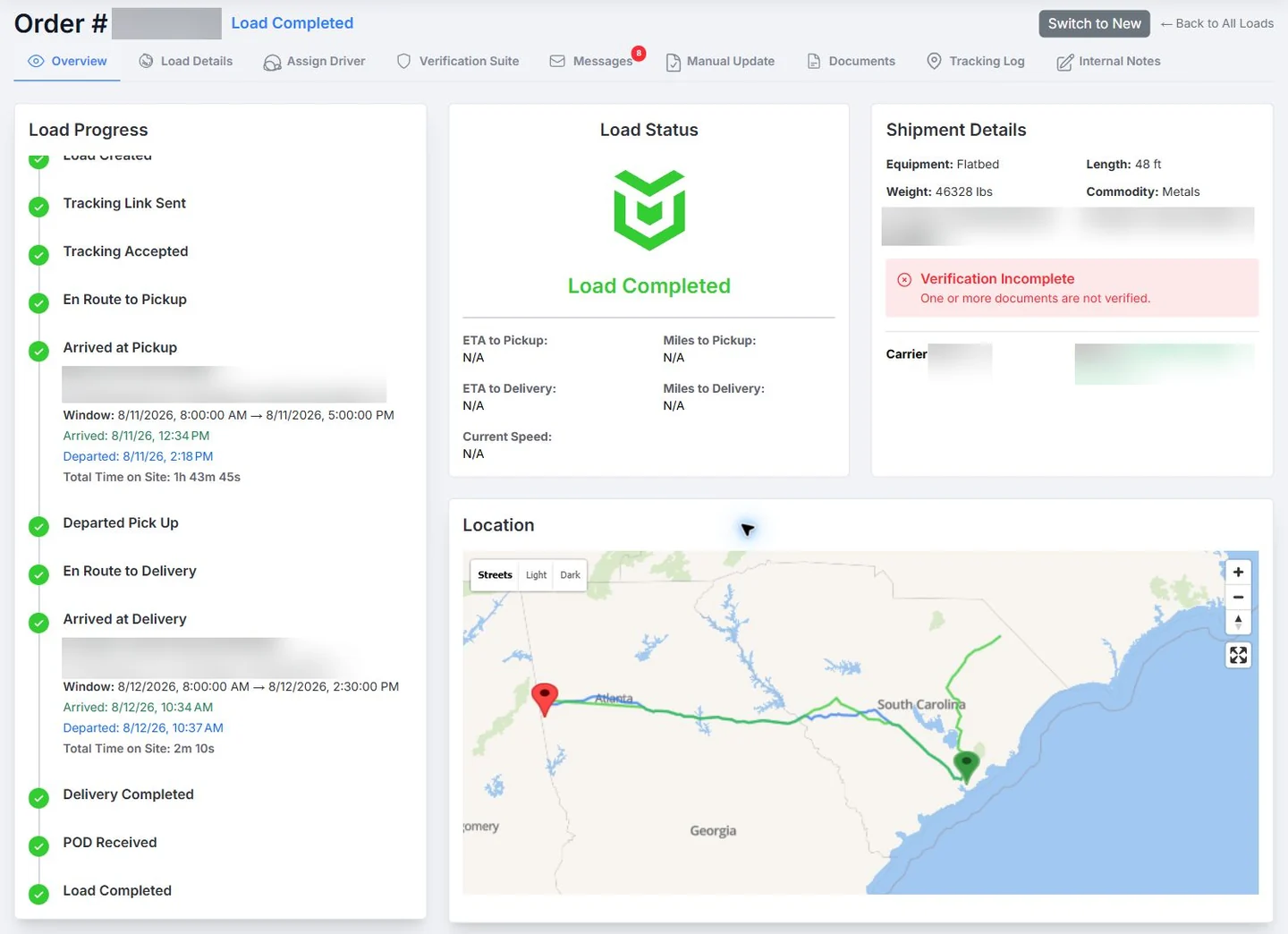
Follow the load.
See real-time shipment tracking and the load status timeline.
Your team’s view: screen recording of a route replay at 5x speed.
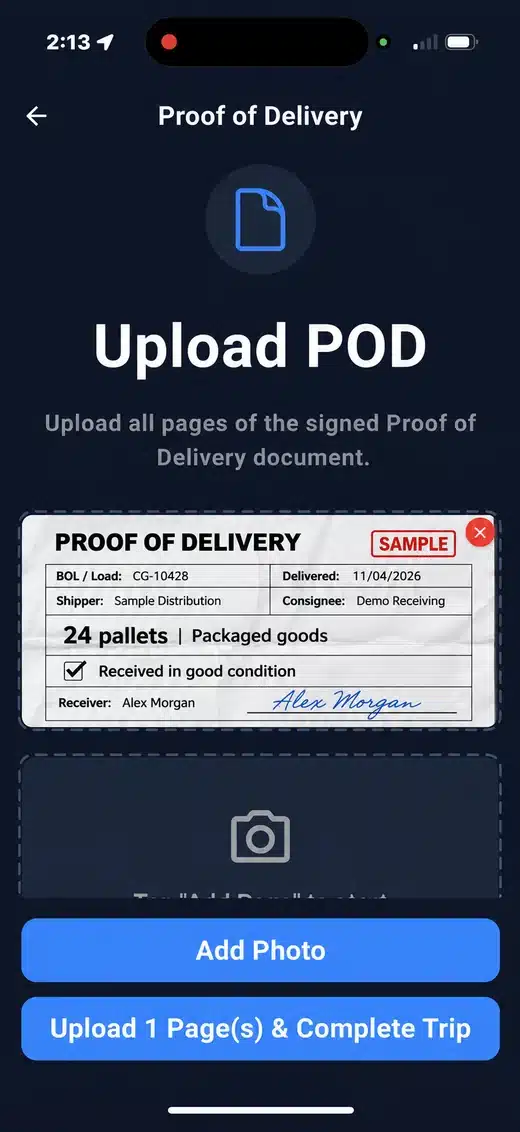
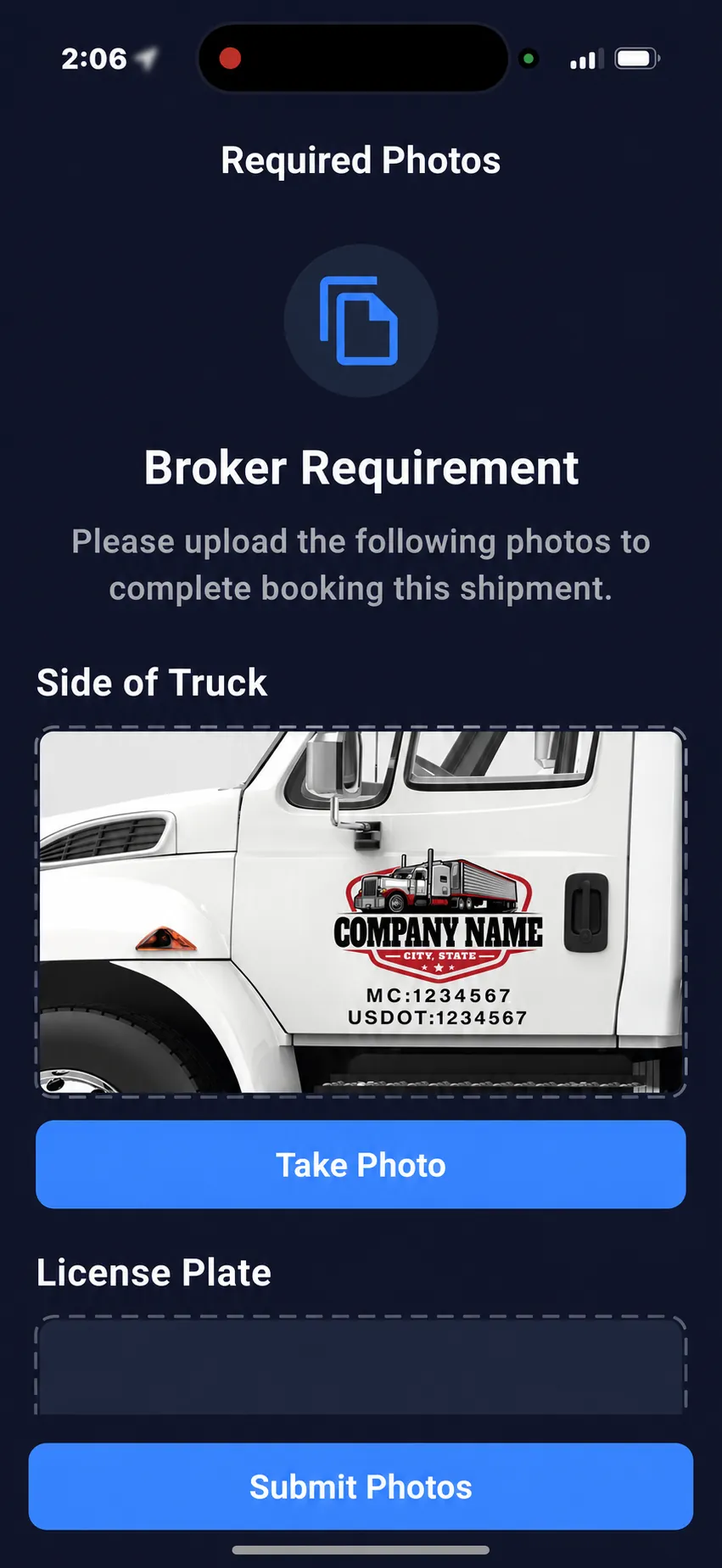
Stop 3: photos and signed proof of delivery
Keep the evidence.
- 1Side-of-truck and license plate photos
- 2Signed proof of delivery
Records are ready when a customer or carrier asks. See truck and license plate photos and signed proof of delivery.
The risk behind the shipment
Cargo theft is costly.
Verify before freight moves.
A familiar carrier name does not confirm who is collecting your load. Double brokering, stolen identities, and pickup deception create different risks. Your team needs to check the assignment, the driver, and the truck.
2025 cargo theft, U.S. and Canada
$725M
Nearly $725 million in estimated cargo-theft losses in Verisk CargoNet’s 2025 analysis, 60% higher than its 2024 comparison.
Source: Verisk CargoNet’s 2025 annual analysis, published January 21, 2026. Reported U.S. and Canadian events; comparisons use CargoNet’s delayed-reporting adjustment. These are cargo-theft figures, not a measure of double-brokering losses or all industry losses.
From warning sign to verification
Double brokering: what to watch for and what to verify.
| Risk | What needs attention | What your team should verify |
|---|---|---|
| Unauthorized re-brokering | The hauling company differs from the carrier your team approved. | Confirm who assigned the load, who will haul it, and whether the change was authorized. |
| Carrier identity theft | A real carrier’s name or USDOT number is paired with unfamiliar contact details. | Compare the phone number with SAFER. If it differs, call the listed number to confirm the load. |
| Pickup deception | The arriving driver, truck, or pickup instructions do not match the approved assignment. | Resolve discrepancies with a verified carrier contact and the shipping facility before release. |
| Suspicious delivery changes | Someone requests an unexpected destination or consignee change. | Confirm the request through an established contact and record who authorized it. |
A mismatch is a reason to investigate, not proof of theft. Double brokering and cargo theft can overlap, but they are not interchangeable. CargoGuard brings driver checks, truck photos, tracking, and documents together to support your team’s review.
Verification guidance: FMCSA’s broker and carrier fraud advisory. Operational checklist prepared by CargoGuard; no workflow guarantees that every fraud attempt will be prevented.
What else your team gets.
Alerts by email and SMS
Hear about arrivals, departures, deliveries, delays, a device change, or potential GPS manipulation.3
Updates for your customers
Send shippers and customers automatic notifications, and set custom escalation rules for your team.
An API for your TMS
Shipment creation and updates, GPS information, driver verification, and event webhooks. See the API.
CargoGuard brings freight fraud prevention and truck tracking for freight brokers into one workflow, with tools for 3PLs and shippers too. See all features and real-time visibility.
Questions before you book
What is CargoGuard?
CargoGuard is a freight tracking and fraud prevention platform for brokers, 3PLs, and shippers. It brings driver verification, shipment tracking, pickup photos, and delivery records into one workflow. Meet the CargoGuard founders.
How does CargoGuard help with double-brokering prevention?
CargoGuard helps your team compare driver and truck information with the pickup assignment, review verification results, and follow the shipment. These checks support your process for identifying possible unauthorized carrier changes.
How can CargoGuard support cargo-theft prevention?
Driver checks, truck photos, and shipment tracking give your team more information to review before and during a load. CargoGuard supports your security procedures; no platform can guarantee that every theft or fraud attempt will be prevented.
What does a driver do in the app?
Drivers follow prompts to scan their license, complete a selfie check, capture truck registration details, and upload the photos or documents requested for the load.
Who is CargoGuard built for?
CargoGuard is built for freight brokers, 3PLs, and shippers. Drivers use the mobile app to complete the verification, photo, and document steps for their loads.
Can CargoGuard work with my TMS?
Tell us which TMS you use and what data you need to exchange. We will review the available integration options and requirements with your team.
Does CargoGuard stop all freight fraud?
No tool can promise that. Driver checks, truck photos, tracking, and delivery records help your team compare what was expected with what happened.
What will I see in the demo?
A walkthrough of the driver and broker experience: verification before pickup, shipment tracking, pickup photos, and delivery records. Bring questions about your team’s current workflow.
How do I get started?
Book a demo to see the driver and broker workflows and discuss your shipment tracking and verification needs.
See it on a live walkthrough.
30 minutes on Google Meet. Bring your questions. Prefer to talk first? Call 901-255-0646.
Book a 30-minute demoContact us1. During active tracking, CargoGuard supports five-second location updates. Actual updates depend on the session, device permissions, location availability, and connectivity.
3. Alert triggers and recipients depend on your configured workflow. A flag is a reason to investigate, not proof of fraud. Driver checks, tracking, alerts, and records support your team’s review, and they don’t guarantee that every fraud or theft attempt will be prevented.
4. Animated examples illustrate the workflow. They aren’t live shipment data.