

Anti-Spoofing GPS Technology
A moving dot is not the whole story. CargoGuard checks for signs of location manipulation and flags suspicious tracking information. Review the concern with driver details, pickup photos, and shipment records before deciding what happens next.
Put the Tracking Concern in Context
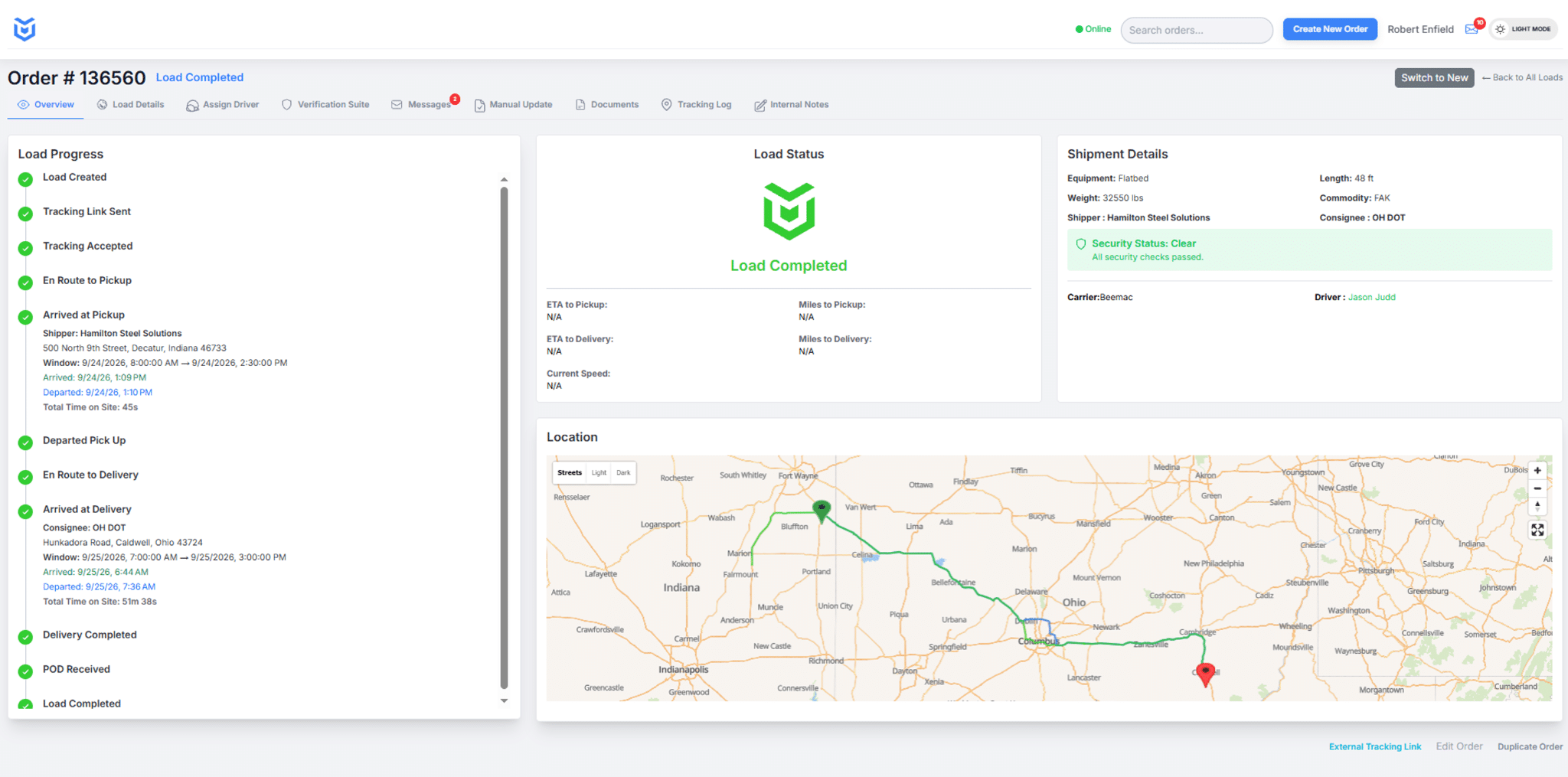
The CargoGuard workspace brings load progress, driver and carrier information, security status, and the route map together for shipment review.
What Is Location Spoofing in Freight Tracking?
Location spoofing means deliberately supplying false location information so a tracking display appears to show a device somewhere it is not. For freight brokers, that creates a practical problem: the displayed trip may not reflect the movement of the assigned truck or its cargo.
Anti-spoofing GPS checks add a review of location reliability to ordinary shipment tracking. CargoGuard flags signs of manipulation so your team can investigate the load rather than rely on a map position alone. A flag is a reason to investigate, not proof that the driver committed fraud.
How CargoGuard Supports the Review
CargoGuard checks location information for signs of manipulation and uses shipment notifications to surface detected concerns. Review the available alert details with tracking history, the assigned driver’s information, and pickup evidence.
During active tracking, CargoGuard supports five-second location updates. Actual updates depend on the session, device permissions, location availability, and connectivity. Frequent updates and reliable locations are separate questions; check the latest timestamp and investigate conflicting evidence.
Old, Inaccurate, or Manipulated?
These are different reasons to question a map position, not a list of CargoGuard alert labels or detection rules.
An old location
The last update may have been accurate when recorded. Check its age and contact the assigned driver or carrier before reporting it as the truck’s current position.
An inaccurate location
Signal blockage and reflections can affect GPS accuracy. Compare the available history and shipment context; an unusual point alone does not establish deliberate manipulation.
Suspected manipulation
Review the flagged concern and preserve the available records. Seek confirmation through established contacts and supporting shipment evidence before drawing a conclusion.
GPS.gov’s accuracy guidance explains that buildings, indoor use, and reflected signals can affect positioning. Those limitations are why a poor location fix should not automatically be described as spoofing.
A Three-Step Location Review
1. Establish what was recorded
Open the correct shipment. Read the alert, latest location time, and available load status timeline. Separate recorded events from assumptions about where the truck is or whether pickup has been completed.
2. Compare evidence from the handoff
Compare driver and carrier details with the approved assignment. Review truck and plate photos and relevant shipment documents. A photo’s location stamp may rely on the same phone as tracking, so do not treat it as independent confirmation of that phone’s location.
3. Verify through an established contact
Contact the assigned carrier or pickup facility through a previously verified channel. FMCSA’s fraud guidance recommends verifying carrier and broker phone numbers through SAFER and checking the truck that arrives against the contracted carrier. Record the explanation, remaining concern, and person responsible for follow-up in your operational records.
Illustrative example: The map places the tracked phone near pickup, but the facility cannot confirm the expected truck has arrived. Your team checks the recorded time, contacts the assigned carrier, and verifies the handoff before treating pickup as complete. This is a review procedure, not a customer case study or an automatic gate-control feature.
Build Location Checks Into Your Freight Security Plan
For high-value shipments, agree on the responder, backup contact, and after-hours process before dispatch. Combine location checks with carrier vetting and pickup authorization. The double brokering prevention workflow explains how these checks fit together.
During a demo, review a normal tracking session, a missing update, and an example of a flagged location concern. Confirm what information your team receives, which phones are supported, and how notifications are configured. Evaluate the evidence available to the responder, not just whether an alert appears.
Anti-Spoofing GPS Questions, Answered
How does CargoGuard help identify false tracking information?
CargoGuard checks for signs of location manipulation and flags suspicious information for review. Your team can investigate the concern alongside tracking history, driver details, pickup photos, and shipment records.
Is GPS spoofing the same as a weak signal?
No. Spoofing involves deliberately false location information. Signal blockage, reflections, or an old update can also make a map misleading without deliberate manipulation. Investigate the cause rather than treating every tracking problem as fraud.
Does a GPS alert prove cargo theft?
No. It identifies a tracking concern that needs review. Confirm the load, check supporting evidence, and contact the responsible parties before drawing conclusions. Keep unresolved concerns open under your response procedure.
Do five-second updates guarantee an accurate location?
No. Update frequency describes how often information is provided, not whether every position is accurate. CargoGuard supports five-second updates during active tracking, subject to device and connection conditions. Review timestamps and any flagged concerns.
Can a location-stamped photo independently verify tracking?
Not necessarily. When the photo and tracking use the same phone’s location information, they may share the same error. Use the visible truck details and confirmation from the pickup facility or verified carrier contact as additional evidence.
Can anti-spoofing checks replace carrier vetting?
No. Location reliability, carrier identity, and permission to collect a specific load are different checks. Use anti-spoofing alongside carrier vetting, driver verification, pickup procedures, and timely follow-up. It is not a guarantee against every fraud attempt.
Look Beyond the Map. Review the Evidence.
See how CargoGuard connects location checks, driver information, and shipment records. Bring your tracking and pickup-verification questions to a demo.