

Shipment History and Operational Review
Review what happened on a shipment with tracking history, alerts, pickup evidence, and delivery documents in one operational record.
Review the Complete Shipment Record
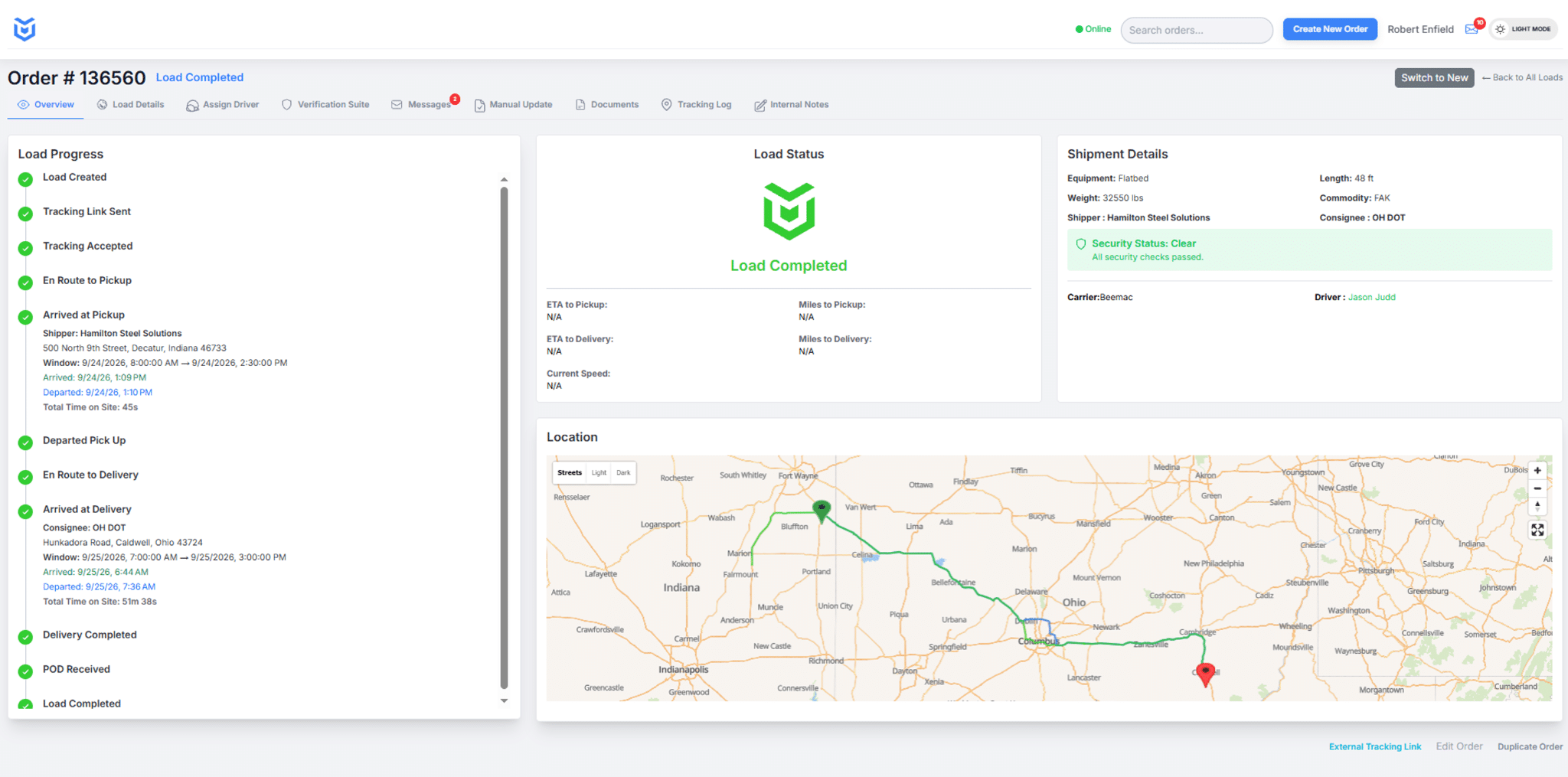
CargoGuard brings available driver information, tracking updates, shipment events, pickup photos, alerts, and delivery documents together so freight brokers, 3PLs, and shippers can review what happened on a load and decide what needs follow-up.
Build a Chronological Shipment History
A shipment history should answer a simple question: what happened, and in what order? Review available tracking timestamps, pickup and delivery events, status changes, alerts, photos, and documents as a sequence instead of looking at each item by itself.
For active shipment progress, use CargoGuard’s load status timeline and real-time visibility tools. This page focuses on reviewing the record after activity has already occurred or when your team needs to reconstruct the load history.
Review Exceptions in Context
A late update, route concern, device change, unexpected stop, or possible GPS manipulation signal can be important, but an alert alone does not establish fraud, theft, or unauthorized activity. Review the alert beside the driver assignment, tracking history, pickup information, photos, and direct communication with the carrier or driver.
See automated shipment alerts and anti-spoofing GPS checks for the live monitoring side of the workflow.
Compare Pickup Evidence With the Assignment
When a pickup needs review, compare the available driver license information, selfie check, truck registration, equipment details, and requested pickup photos with the shipment assignment. CargoGuard’s driver verification and geofenced photo verification workflows can add useful evidence before and around pickup.
A mismatch is a reason to investigate. It does not automatically prove double brokering, identity fraud, or cargo theft. Confirm unexpected changes through trusted contacts and follow your company’s release and escalation procedures.
Keep POD and Delivery Documents With the Load
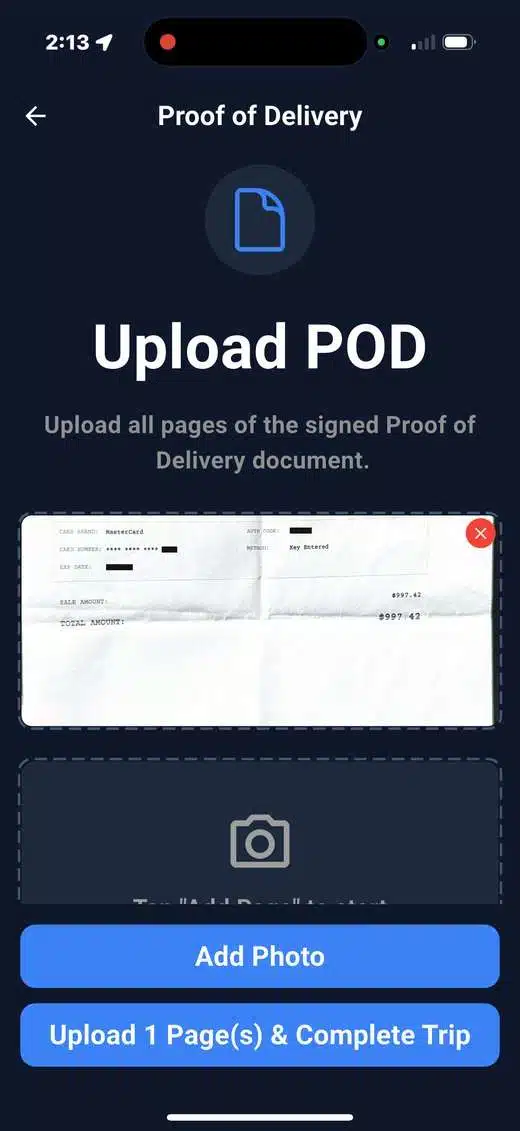
Bills of lading, proof-of-delivery documents, and other shipment paperwork are easier to review when they stay connected to the same load record. CargoGuard’s secure document capture workflow helps keep available delivery documents with the shipment rather than separating them from tracking and pickup evidence.
Support Customer, Claims, and Security Follow-Up
A customer may ask why a shipment was late. A security team may need to review an unexplained pickup change. A claims or operations team may need the pickup photos, tracking history, and POD in one place. Shipment history gives each person a clearer starting point for the review.
The shipment record can support an investigation or business review, but it does not guarantee a legal, insurance, payment, or claims outcome. CargoGuard also does not replace carrier vetting, your TMS, your claims system, or your organization’s internal procedures.
Operational Review, Not Business-Intelligence Forecasting
The URL for this page includes “analytics intelligence,” but the CargoGuard workflow described here is not a predictive business-intelligence or forecasting product. It is an operational review workflow built around the available record of a specific shipment.
Use it to review shipment history, investigate exceptions, organize evidence, and support follow-up. For the broader live workspace, see the freight visibility platform.
How This Page Differs From CargoGuard’s Visibility Pages
Real-Time Visibility
Real-Time Visibility focuses on what is happening now while the shipment is active.
Freight Visibility Platform
Freight Visibility Platform explains the broader workspace that brings verification, tracking, shipment progress, and records together.
Load Status Timeline
Load Status Timeline explains the event sequence from pre-pickup through delivery.
Shipment History and Operational Review
This page focuses on reviewing the record after events have occurred, especially when a customer question, exception, security concern, or claims follow-up requires a clear history.
Shipment History Questions, Answered
What is shipment history?
Shipment history is the available record of tracking updates, status events, alerts, pickup evidence, and delivery documents associated with a load.
Is this a predictive analytics or forecasting product?
No. This workflow is designed for operational review of shipment records, not business-intelligence forecasting.
Can pickup photos and POD be reviewed with shipment history?
Yes, when those records were captured and are available for the load, they can be reviewed alongside tracking and shipment information.
Does an alert prove fraud or cargo theft?
No. An alert identifies something that may need investigation. Review the rest of the shipment record and confirm unusual changes through trusted contacts.
Does CargoGuard replace our TMS or claims system?
No. CargoGuard can support shipment-level verification, tracking, evidence collection, and operational review alongside the systems and procedures your organization already uses.
Review a Shipment With CargoGuard
Bring your pickup, tracking, delivery, and follow-up workflow to a demo and see how the shipment record fits together.